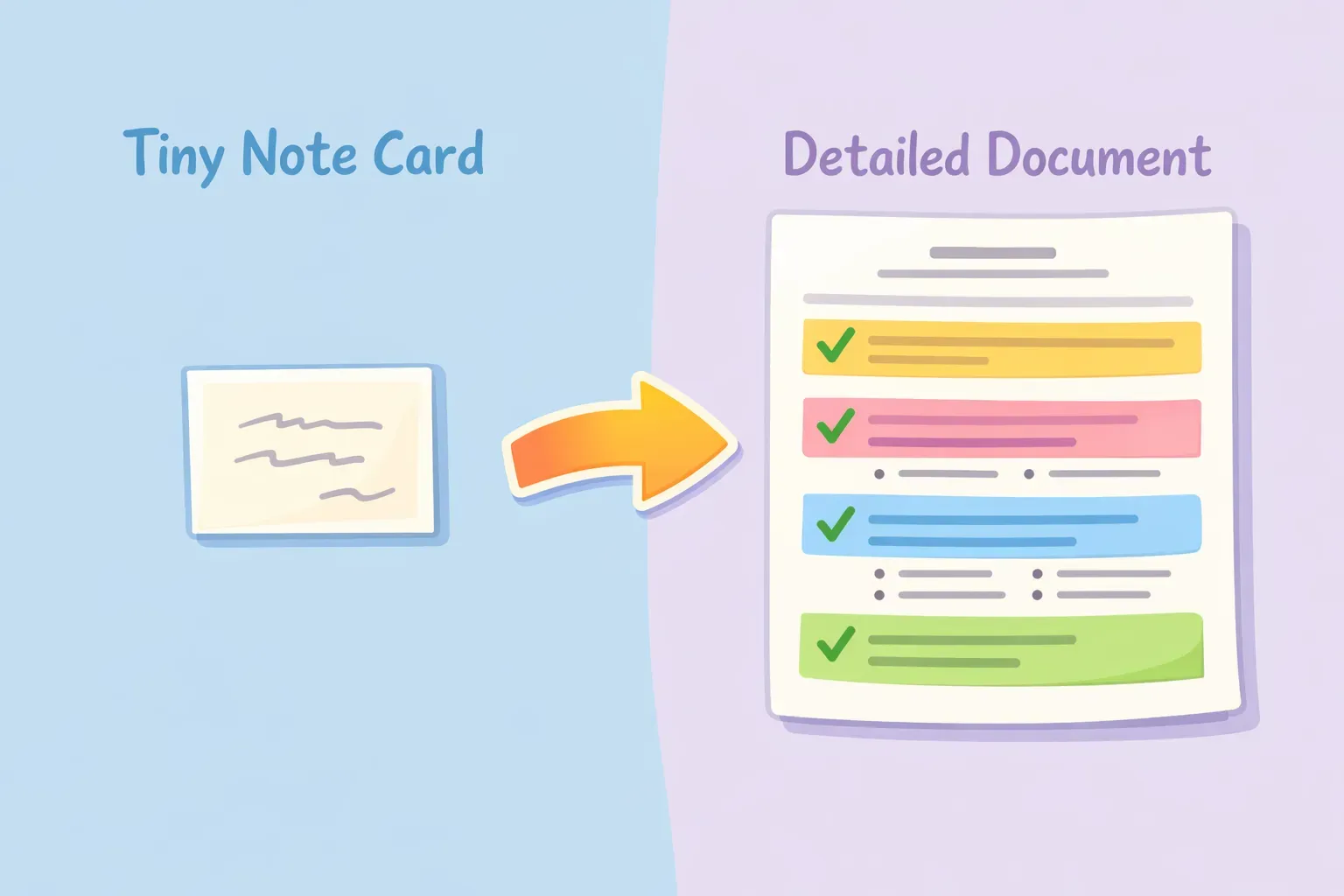
超級提示詞是一組詳細、結構化的指令——通常落在 300 到 800 字之間——把多種提示元素整合成一次完整的請求。可以把它想成是給 AI 一份完整的專案簡報,而不是丟一個快問快答。
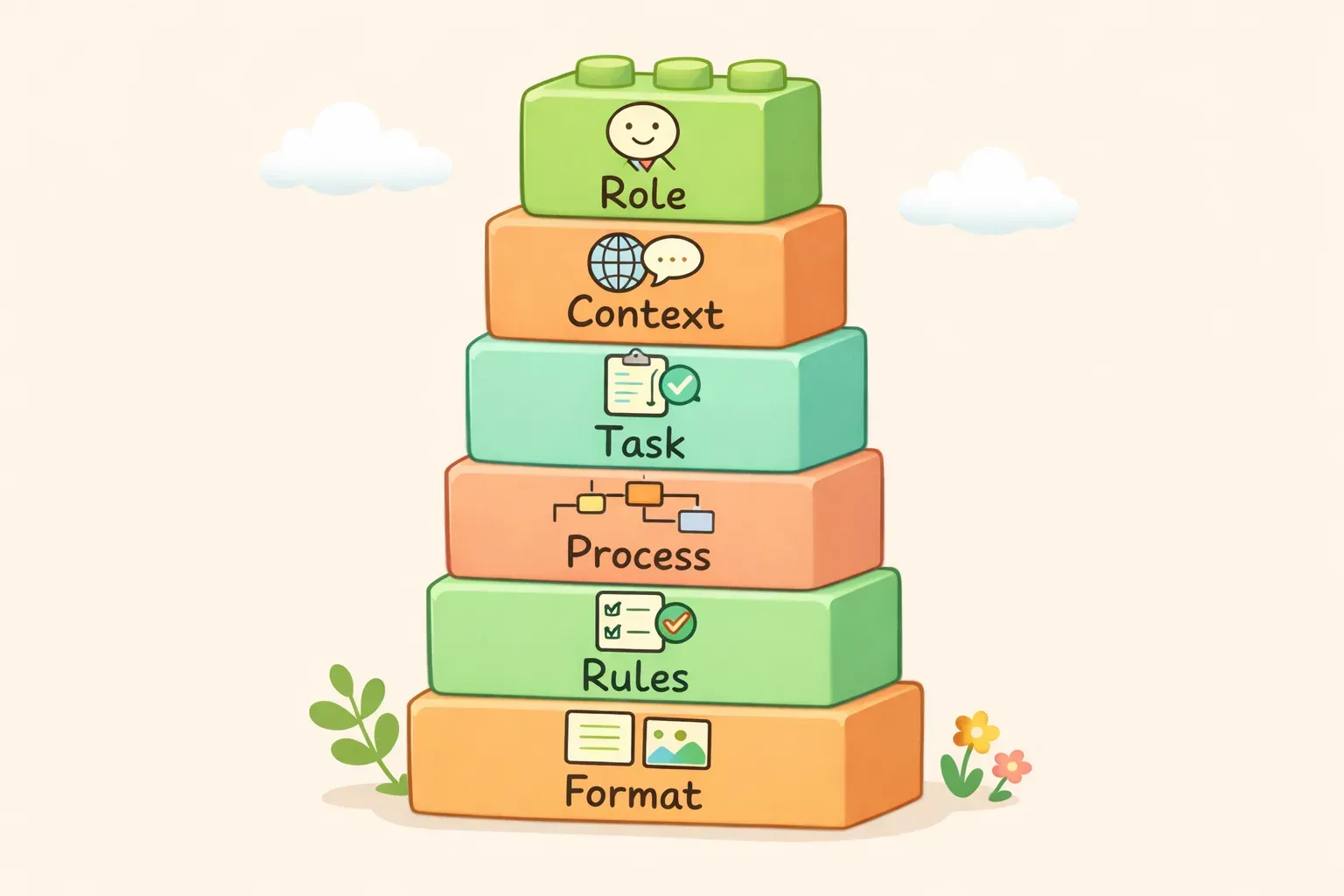
簡單的提示詞可能只是「幫我寫一封行銷信」,而超級提示詞會明確指出 AI 該扮演什麼角色、需要哪些背景資訊、要完成的具體任務、要遵循的步驟、要遵守的規則,以及輸出的格式。一次把 AI 平常需要來回好幾輪才能問到的資訊全部塞好塞滿。
實際比較一下差異:
簡單提示詞:
Write a product description for my new fitness app.
超級提示詞:
You are a conversion-focused copywriter who specializes in health and fitness apps.

Task: Write a product description for a fitness app called FitTrack.

Context:
- Target audience: Busy professionals aged 30-45 who want to exercise but struggle with consistency
- Key features: 15-minute workouts, no equipment needed, progress tracking, reminder system
- Tone: Motivating but not preachy, acknowledges real-life constraints
- Competitors emphasize intensity; we emphasize sustainability

Requirements:
- Open with the reader's pain point, not the product name
- Include 3 bullet points highlighting key benefits (not features)
- End with a low-pressure call to action
- Keep it under 150 words
- Avoid fitness clichés like "transform your body" or "unleash your potential"
簡單的提示詞讓 AI 完全靠猜——猜對象、猜語氣、猜長度、猜重點。超級提示詞則徹底消除這些不確定。根據一篇關於提示詞長度與 AI 輸出品質的研究,複雜任務的最佳長度通常落在 150 到 300 字之間——不過某些任務甚至會從更長的指令中受益。
- 直接迭代比一次寫清楚還快。有時候直接讓 AI 寫一版,再說「再短一點」,比一開始就把每個細節寫滿來得有效率。
比較圖表:什麼時候用簡單提示詞,什麼時候用超級提示詞
如何從零打造一個超級提示詞
我們一步一步來示範怎麼組裝一個超級提示詞。範例情境:你需要 AI 幫你寫一份部落格文章的內容簡報。
步驟 1:從任務開始
先把核心需求寫出來。實際的交付物是什麼?
Create a content brief for a blog post about {{topic}}.
步驟 2:加上角色
AI 需要扮演什麼樣的角色,才能把這個任務做好?
You are a content strategist who specializes in SEO-driven blog content for B2B SaaS companies.
步驟 3:疊加背景
AI 需要知道哪些跟你具體情境有關的資訊?
Context:
- Our blog targets marketing managers at mid-sized companies
- We prioritize actionable advice over thought leadership
- Posts typically rank for long-tail keywords with 500-2000 monthly searches
- Our brand voice is conversational and practical, never salesy
步驟 4:指定流程
如果順序很重要,就把步驟拆開來:
Process:
1. Identify the primary keyword and 3-5 secondary keywords
2. Analyze what the top-ranking articles cover
3. Find the content gap — what's missing or outdated
4. Outline 6-8 H2 sections that address the gap
5. Suggest a hook angle for the introduction
步驟 5:設下限制
加上規則,避開常見的問題:
Rules:
- Do not suggest generic sections like "What is X" unless truly necessary
- Avoid recommending topics we can't credibly write about (e.g., technical implementation)
- If you're unsure about search volume estimates, say so
步驟 6:定義輸出格式
明確指定交付物該長什麼樣子:
Format your response as:
- Working title (under 60 characters, includes primary keyword)
- Primary keyword + search intent
- Secondary keywords (3-5)
- Target word count
- Outline with H2 sections and 1-sentence description of each
- Hook angle for the intro (1-2 sentences)
- Key differentiator vs. competing articles
完整的超級提示詞
組裝起來大概長這樣:
You are a content strategist who specializes in SEO-driven blog content for B2B SaaS companies.

Task: Create a content brief for a blog post about {{topic}}.

Context:
- Our blog targets marketing managers at mid-sized companies
- We prioritize actionable advice over thought leadership
- Posts typically rank for long-tail keywords with 500-2000 monthly searches
- Our brand voice is conversational and practical, never salesy

Process:
1. Identify the primary keyword and 3-5 secondary keywords
2. Analyze what the top-ranking articles cover
3. Find the content gap — what's missing or outdated
4. Outline 6-8 H2 sections that address the gap
5. Suggest a hook angle for the introduction

Rules:
- Do not suggest generic sections like "What is X" unless truly necessary
- Avoid recommending topics we can't credibly write about
- If you're unsure about search volume estimates, say so

Format:
- Working title (under 60 characters, includes primary keyword)
- Primary keyword + search intent
- Secondary keywords (3-5)
- Target word count
- Outline with H2 sections and 1-sentence description of each
- Hook angle for the intro (1-2 sentences)
- Key differentiator vs. competing articles
You are a business strategist helping a founder think through an important decision.

Decision: {{decision_description}}

Context:
{{relevant_background}}

Analyze this decision by:
1. Identifying the 4-5 most important factors to consider
2. Evaluating how each option performs on these factors
3. Noting the key risks and tradeoffs for each path
4. Considering what would need to be true for each option to be the right choice
5. Making a recommendation with clear reasoning

Rules:
- Be direct about tradeoffs — don't hedge everything
- If I haven't provided enough information for a confident recommendation, tell me what's missing
- Avoid generic business advice — be specific to my situation

Format:
- Key factors (bulleted list with 1-sentence explanation of why each matters)
- Option analysis (evaluate each option against the factors)
- Recommendation (1 paragraph with clear reasoning)
- What to watch for (2-3 signals that would change the recommendation)
2. 把會議記錄變成行動項目
You are an executive assistant who excels at extracting clear action items from messy meeting notes.

Meeting notes:
{{meeting_notes}}

Task: Transform these notes into a structured summary with clear next steps.

Process:
1. Identify the main topics discussed
2. Extract every decision that was made
3. Pull out all action items, assigning owners where mentioned
4. Note any open questions that weren't resolved
5. Flag any deadlines or time-sensitive items

Rules:
- If an owner isn't clear from context, mark it as "Owner: TBD"
- Don't add action items that weren't actually discussed
- Keep each item to one sentence
- Use the exact names/terms from the notes

Format:
## Summary
(2-3 sentences on what the meeting was about)

## Decisions Made
(bulleted list)

## Action Items
(bulleted list with owner and deadline if mentioned)

## Open Questions
(bulleted list)

## Next Meeting
(if mentioned)
3. 競爭對手分析簡報
You are a competitive intelligence analyst.

Task: Create a competitive analysis comparing {{my_product}} to {{competitor_products}}.

Context:
- My product: {{my_product_description}}
- Target customer: {{target_customer}}
- Key differentiator we want to emphasize: {{differentiator}}

Analysis process:
1. Identify 5-7 factors customers care about when choosing between these options
2. Rate each product on each factor (Strong / Adequate / Weak)
3. Identify where we win, where we lose, and where it's a tie
4. Note any gaps in my knowledge that would require further research

Rules:
- Be honest about where competitors are stronger — I need accurate intel, not cheerleading
- Base assessments on publicly available information only
- If you don't have reliable information about a competitor's capability, say so

Format:
- Comparison table (factors as rows, products as columns)
- Where we win (2-3 bullets with specific reasons)
- Where we need to improve (2-3 bullets)
- Messaging recommendations (how to position against each competitor)
- Research gaps (what I should verify before using this analysis)