20 ChatGPT Prompts for Blog Post Writing: From Outline to Publish
A copy-paste system of 20 ChatGPT prompts that takes a blog post from blank page to published, including the voice and fact-check steps most guides skip.
You open ChatGPT, type "write me a blog post about [your topic]," and 30 seconds later you're staring at 600 words of beige filler that could have come from anyone. Now you have to rewrite the whole thing. So much for saving time.
You're not using AI wrong. You're using it the way most people do. And the data backs up where that goes: 95% of content marketers now use AI, up from 65% just two years earlier, according to Orbit Media's 2025 survey of 808 marketers. But only about 1 in 10 let it write a complete article, and the ones who do are less likely to report strong results. The winners treat ChatGPT as an assistant, not an autopilot.
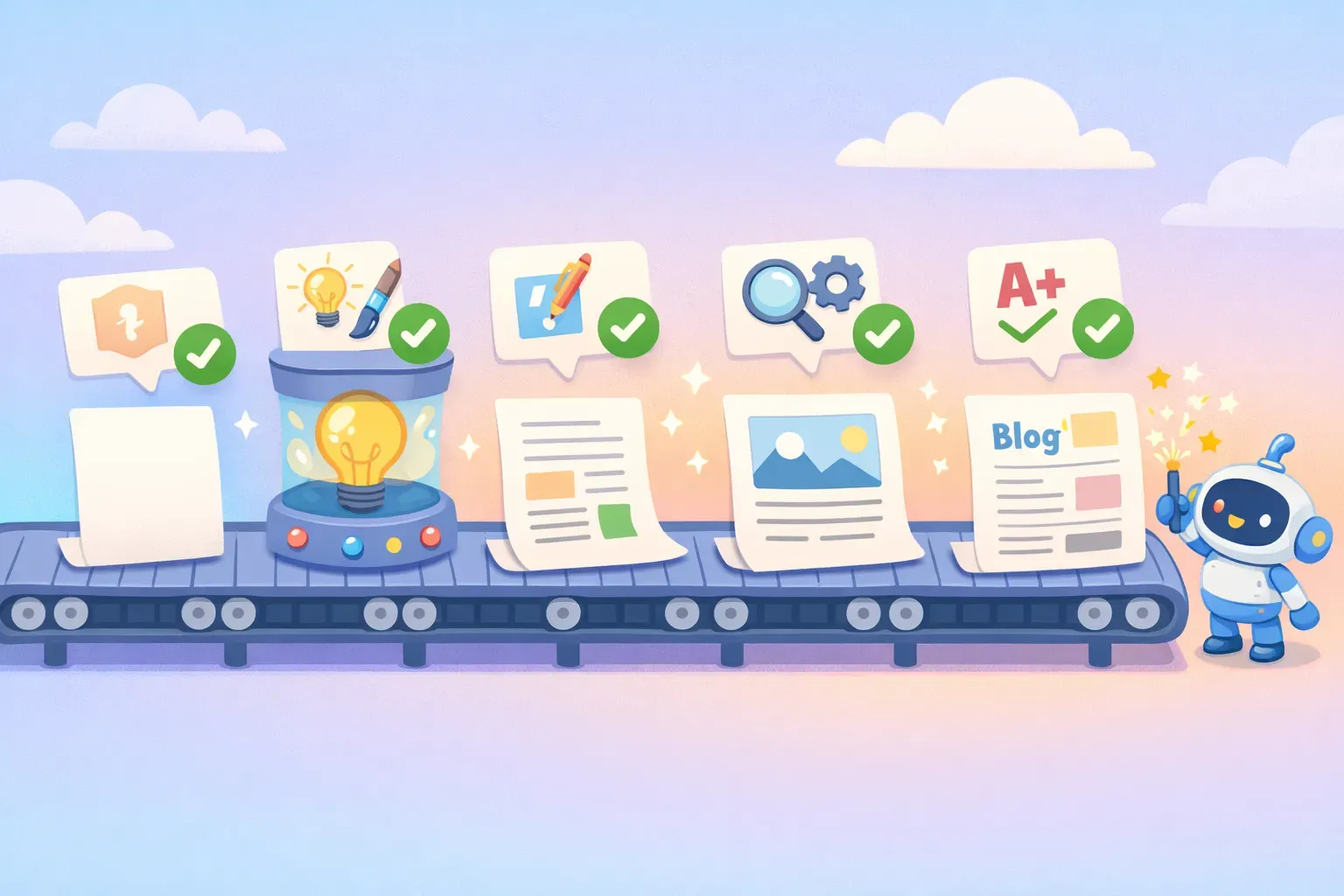
This guide gives you 20 prompts that do exactly that. They're arranged as an assembly line — idea, outline, voice, draft, edit, fact-check, SEO, publish — and each one is a fill-in-the-blank template you reuse for every post. Two of them, a voice prompt and a fact-check prompt, are the steps most prompt lists skip. They're also the difference between "obviously AI" and "actually good."
Every prompt works with the current default ChatGPT (GPT-5.5 Instant as of mid-2026), and with Claude or Gemini too. Model names change every few months; good prompts don't.
First, Write Prompts Like a Brief, Not a Topic
The single biggest reason ChatGPT gives you generic writing is that you gave it a generic prompt. Here's the rule worth tattooing somewhere: a weak prompt hands the AI a topic; a strong prompt hands it a brief.
Watch the difference. A weak prompt:
Write a blog post about productivity.
A strong prompt:
You are writing for an audience of overwhelmed freelancers who already
use to-do apps and are tired of generic advice. Write an 800-word blog
post titled "The 2-Minute Reset That Beats Any Productivity App." Tone:
practical and a little skeptical of hustle culture. Cover three concrete
methods, each with a real example. Do not mention Pomodoro, "eat the
frog," or inbox zero.
The second one gives ChatGPT a role, an audience, a word count, a tone, a structure, and a list of clichés to avoid. That's a brief.
Every strong prompt has the same bones: Role (who ChatGPT is acting as), Context (audience and goal), Task (what to produce), Format (length and structure), and Constraints (what to do and avoid). Miss those and you get average output, because average is the safest thing the model can generate. If you want to go deeper on this, see our breakdown of the anatomy of a perfect prompt.
All 20 prompts below use {{double-brace}} placeholders for the parts you swap out. Fill in the blanks, paste, and go.
Stage 1 — Generate Ideas and Angles Worth Writing
Coming up with ideas is the single most popular way marketers use AI (66% of them, per Orbit Media). The trap is that a lazy idea prompt gives you the same ideas everyone else is getting. Push for problems and angles, not topics.
Prompt 1: The idea generator
You are a content strategist for a blog about {{topic}}, written for {{audience}}.
Give me 10 blog post ideas that each solve a real problem this audience has.
For every idea, include: a working title, the search intent behind it,
and one angle that most existing posts on the subject miss.
Prompt 2: The fresh-angle finder
Here's a blog topic: {{topic}}.
Most articles about it cover {{the obvious points}}.
Give me 5 non-obvious angles a knowledgeable reader hasn't seen a hundred times:
contrarian takes, overlooked sub-topics, or a specific audience the usual posts ignore.
For each, explain in one line why it would stand out.
Stage 2 — Research Keywords and Your Reader
One honest limit first: ChatGPT can't see live search volume or keyword difficulty. It has no access to that data. Use it to brainstorm and cluster keywords, then validate the real numbers in an SEO tool before you commit.
Prompt 3: Keyword clusters with intent
Act as an SEO content strategist. My blog post is about {{topic}} for {{audience}}.
List 15 long-tail keywords and questions real people search around this topic.
Put them in a table with three columns: keyword, search intent
(informational / commercial / transactional), and the funnel stage it fits.
Then group related keywords into clusters I could each turn into a separate post.
Prompt 4: The reader persona
Describe the specific reader for a blog post about {{topic}}.
Give me: who they are, the problem that made them search for this,
what they already know, what they're afraid of getting wrong,
and the one thing they need to walk away with.
Keep it concrete. Write it as if you're describing one real person, not a demographic.
Stage 3 — Turn It Into an Outline
A good outline is where a post is won or lost. Building outlines is the third most common AI use case among marketers (54%), and it's a job ChatGPT is genuinely good at, as long as you feed it the keyword and the intent.
Prompt 5: The content brief and outline
Create a detailed outline for a blog post titled "{{title}}" for {{audience}}.
Target keyword: {{keyword}}. Search intent: {{intent}}.
Include: a one-line angle, an intro hook, 5 to 8 H2 sections with a sentence on
what each covers, 2 to 3 H3 subpoints where useful, and a closing takeaway.
Mark 2 or 3 spots where an internal link or a real example would strengthen the post.
Prompt 6: Title options that earn the click
Give me 10 title options for a blog post about {{topic}}.
Each must include the exact phrase "{{keyword}}", stay under 60 characters,
and make a specific promise. No vague "ultimate guide" titles.
Mix the formats: how-to, listicle, question, and one contrarian take.
Stage 4 — Teach ChatGPT to Write in Your Voice
This is the step that separates "sounds like AI" from "sounds like you," and almost every prompt roundup skips it. By default, ChatGPT writes in a flat, safe, everyone-voice, because that's the lowest-risk thing it can produce. The fix isn't describing your style with adjectives. It's showing it examples. ChatGPT is excellent at imitation when you give it something to imitate.
Do it in two steps: first have it study your writing, then lock in the rules. For more on this, we wrote a whole guide on getting AI prompts to sound like you.
Prompt 7: Analyze my voice
Here are two samples of my writing. Study them, then describe my style so you
can write in it: sentence length and rhythm, tone, vocabulary level, how formal
I am, my quirks (questions, fragments, humor?), and what I avoid.
Reply only with the style profile, nothing else.

Sample 1: {{paste 300 to 500 words}}
Sample 2: {{paste 300 to 500 words}}
Prompt 8: The brand-voice rulebook
From now on, write everything in this voice:
- Short, clear sentences. Vary the rhythm by mixing short and medium ones.
- Plain words a smart 8th-grader understands. No jargon.
- Active voice. Second person ("you").
- Never use these words: delve, leverage, harness, unlock, game-changer,
  revolutionize, tapestry, cutting-edge, seamless, robust.
- No em dashes. Use a period or "and" instead.
- No "it's not just X, it's Y" sentences, and no three-item lists in a row.
Confirm you understand, then wait for my next message.
Save that rulebook in ChatGPT's Custom Instructions (or a Project) so it applies to every chat automatically and you don't re-teach it each time.
Here's the catch, though: you'll paste that voice block, plus your audience and keyword, into nearly every prompt above. Retyping it gets old fast, and copy-pasting from a messy doc is its own kind of friction. This is exactly what a tool like PromptNest is built for: save each prompt once with {{variables}} for the parts that change, then pull it up in one click from any app instead of digging through old chats.
A friendly cartoon robot studying handwritten pages to learn a writer's voice and style
Stage 5 — Draft the Post One Section at a Time
Here's the myth that wastes the most time: that one prompt produces a finished post. Ask for 2,000 words and you'll usually get around 1,000 of thinning-out text before ChatGPT runs out of steam, and it tends to forget your instructions partway through a long output. The fix is to draft section by section, feeding it the outline and restating your voice each time. As a bonus, this is also how you get past the length ceiling. It's a simple form of prompt chaining.
Prompt 9: The intro and hook
Write the introduction for a blog post titled "{{title}}", in my voice.
Open with {{a question / a surprising fact / a relatable scenario}}, not a definition.
Keep it under 120 words. End with a one-sentence promise of what the reader will get.
Don't summarize the whole post. Make them want to keep reading.
Prompt 10: One section at a time
Using the outline above and my voice, write the section "{{H2 heading}}" only.
Length: about {{200}} words. Include {{one concrete example / a short list / a prompt}}.
Don't repeat points from earlier sections. Write the section and nothing else.
Run that prompt once per H2, and restate "in my voice" every time. The voice genuinely drifts the longer a chat runs, so the reminder matters.
Prompt 11: The conclusion and call to action
Write a conclusion for "{{title}}" in my voice, under 100 words.
Pull the post's main point into one clear takeaway the reader can act on today.
Then add a single call to action: {{what you want them to do next}}.
No "in conclusion," and no recap of every section.
Stage 6 — Edit, Humanize, and Pressure-Test
This is where a draft becomes a post. It's also what nearly everyone actually does: only 7% of marketers publish AI content unedited, while 56% significantly revise it and 38% make minor tweaks, according to HubSpot. Three prompts do the heavy lifting here: tighten it, de-AI it, and stress-test it.
Prompt 12: Edit for clarity and cut the fluff
Edit this draft for clarity and concision, keeping my voice.
- Cut filler, hedging, and any sentence that doesn't earn its place.
- Replace vague claims with specific ones, or flag where I need to add a real
  number or example.
- Break up any sentence over 25 words. Convert passive voice to active.
Show me the edited version, then a short list of the biggest changes you made.

Draft: {{paste draft}}
Prompt 13: Make it sound human
Rewrite this so it doesn't read like AI, without changing the facts or my meaning.
- Vary sentence length. Some short, some longer. Avoid a uniform rhythm.
- Remove AI tells: "it's not just X, it's Y," rule-of-three lists, "in today's world,"
  "dive into," em dashes, and the words delve, leverage, harness, unlock, seamless.
- Add a little personality where it fits, but don't invent fake personal stories.
- If a line sounds like a press release, fix it.

Text: {{paste section or draft}}
Be realistic about what this does. It reduces the obvious AI tells; it won't turn a thin post into a good one. The real fix for "generic" is adding something only you can add: a real example, a strong opinion, a result you've actually seen. (Gartner found 53% of consumers distrust AI-powered results, so a real human voice is a genuine edge.)
Prompt 14: The skeptical editor
Be a skeptical editor, not a cheerleader. Critique this draft honestly.
- Where is it generic, obvious, or something the reader already knows?
- Which claims are vague or unsupported?
- What did I leave out that a reader would still wonder about?
- Where does it read like it's padding for length?
List the 5 most important problems and how to fix each. Don't rewrite it yet.

Draft: {{paste draft}}
ChatGPT has a habit of agreeing with you and praising your draft. You have to explicitly tell it to push back, or you'll never hear the things you most need to fix.
Stage 7 — Fact-Check Before You Publish
ChatGPT makes up facts, statistics, and sources, and it does it confidently. When it doesn't know something, it fills the gap with plausible-looking detail instead of admitting the gap. So never publish a number, a quote, or a citation it handed you without checking it yourself.
Prompt 15: Flag every claim to verify
Go through this draft and list every factual claim a reader could check:
statistics, dates, names, quotes, study references, and "experts say" statements.
For each, rate how confident you are it's accurate (high / medium / low) and tell
me exactly what to verify against a primary source. Don't fix anything. Just flag.

Draft: {{paste draft}}
Then verify each flagged item against the real source. If ChatGPT cited a study, go find the study. If you can't find it, it probably doesn't exist.
A cartoon robot reviewing a document under a magnifying glass, marking facts with checkmarks and flags
Wait, won't Google penalize AI content?
A lot of writers hold back because they believe Google bans AI content. It doesn't. Google's own guidance says it rewards high-quality content "regardless of how it is produced," and what it actually penalizes is scaled content abuse, mass-producing low-value pages to game rankings. A few well-researched, well-edited posts are nowhere near that line.
The risk was never "using AI." The risk is publishing thin, unverified, every-other-post-sounds-the-same AI. Fact-checking and your own voice are exactly what keep you on the safe side of that line, which is why Stages 4, 6, and 7 matter more than any single drafting prompt.
Stage 8 — Optimize for Search
With the post solid, get the metadata right. This is another job ChatGPT does well. Just keep it from keyword-stuffing by being specific about character limits and intent.
Prompt 16: Title tags
Act as an SEO specialist. For a blog post about {{topic}} targeting "{{keyword}}",
write 5 title tag options. Each must be under 60 characters, include the keyword
naturally, and be written to earn clicks: specific and benefit-driven, not clickbait.
Prompt 17: Meta description
Write 3 meta description options for this post. Each one: 140 to 160 characters,
includes "{{keyword}}" naturally, states the benefit, and gives a reason to click.
No fluff, no "in this article we will discuss."

Post summary: {{1 to 2 sentences on what the post covers}}
Prompt 18: An FAQ that targets real searches
Based on this post about {{topic}}, write an FAQ section of 5 questions and answers.
Use the actual questions people search around "{{keyword}}" (the kind that appear in
"People also ask"). Keep each answer to 2 or 3 sentences, accurate and specific.

Post: {{paste post or outline}}
Stage 9 — Repurpose the Post in Minutes
The post is published. Now squeeze more out of it. One blog post is a week of social posts and a newsletter if you let ChatGPT remix it, and this is the fastest payoff in the whole workflow.
Prompt 19: Social posts
Turn this blog post into social posts, in my voice:
- 3 LinkedIn posts, each leading with a different hook and one takeaway from the post.
- 5 short X posts, each a standalone tip that links back.
Don't just summarize. Make each one valuable on its own. Go easy on the hashtags.

Post: {{paste post}}
Prompt 20: The newsletter email
Write a short newsletter email (under 200 words, my voice) that shares the key idea
from this post and links to it. Open with a hook, give one genuinely useful takeaway
so it's worth reading even if they don't click, and end with a clear link CTA.
Then give me 3 subject-line options, each under 50 characters.

Post: {{paste post}}
Make Your 20 Prompts Reusable (So You Never Retype Them)
Here's the part almost no prompt roundup mentions: these 20 prompts are only useful if you can actually find them when you need them. Right now they live in a blog post. The moment you close this tab, they're gone, and you're back to typing "write me a blog post" from memory.
Two things make a prompt reusable: a saved template, and variables for the parts that change. Notice that every prompt here has {{placeholders}} like {{topic}}, {{audience}}, and {{keyword}}. That's deliberate. The skeleton stays identical for every post; you only swap the blanks. (We go deeper on this in our guide to using variables in AI prompts.)
You can keep them in a doc, or stash the voice rulebook in ChatGPT's Custom Instructions. That works, but it gets clumsy fast once you have 20 of them: scrolling, copying, pasting, then fixing the variables by hand every time.
That's the exact problem PromptNest was built to solve. It's a native Mac app, a one-time $19.99 on the Mac App Store with no subscription, that keeps your prompts organized by project and one keyboard shortcut away from any app. Save these 20 with variables like {{topic}} and {{audience}}, and when you copy one, a small form pops up to fill in the blanks. The finished prompt lands on your clipboard, ready to paste into ChatGPT. No more hunting through old chats for that outline prompt that worked.
The Bottom Line
AI didn't make writing effortless. It made the blank page negotiable. Even back in the GPT-3.5 days, an MIT study in the journal Science found ChatGPT helped writers finish 40% faster and produced work rated 18% higher in quality. Those gains are real, but only if you stay in the driver's seat.
The pattern across all 20 prompts is the same: you bring the brief, the voice, the judgment, and the fact-checking. ChatGPT brings the speed. Skip the voice and fact-check steps and you get the generic AI sludge everyone's tired of. Keep them and you get a post that's genuinely yours, written in a fraction of the time.
Start with one post. Run it through the assembly line: idea, outline, voice, draft, edit, fact-check, SEO, repurpose. Save the prompts that worked so next week you're not starting from scratch. That's the whole game.