Compare React and Vue for a new web project. Format as a table with these columns: Learning Curve, Community Size, Best For. Keep each cell to one sentence.
格式限制特別適合用在以下情境:
比較:「Format as a table comparing X, Y, Z by [criteria]」
操作步驟:「Number each step. Start each step with a verb.」
摘要:「Use bullet points. Maximum 5 bullets, one sentence each.」
分析:「Structure as: Problem → Cause → Solution → Next Steps」
這是一個更完整的範例:
Review this product description and give me feedback.

Format your response as:
- 3 strengths (one sentence each)
- 3 weaknesses (one sentence each)
- 1 suggested rewrite of the opening line

Product description:
{{product_description}}
格式限制把含糊的「給我一些回饋」變成有結構、可執行的輸出。
語氣與聲音限制:塑造它聽起來的感覺
同樣的資訊,用不同的語氣呈現,結果會完全不同。要 AI 寫「給利害關係人看的專業摘要」和「給部落格讀者的輕鬆說明」,產出的內容會差很多。
語氣限制可以是簡單的描述:
「Write in a warm, conversational tone」(用溫暖、對話式的語氣)
「Keep it professional but not stiff」(專業但不要僵硬)
「Friendly and encouraging, like a coach」(友善鼓勵,像教練一樣)
「Direct and no-nonsense」(直接、不囉嗦)
或是你也可以直接參照某種風格:
「Match the tone of Duolingo's notifications」(像 Duolingo 推播通知的語氣)
「Write like an Apple product page」(像 Apple 產品頁面那樣寫)
「Sound like a helpful colleague, not a textbook」(像個樂於協助的同事,而不是教科書)
把語氣和角色組合起來,通常效果不錯:
You are a patient, encouraging tutor. Explain how compound interest works to a high school student who's nervous about math. Use everyday examples. Keep it under 200 words.
Review only the "Work Experience" section of my resume. Focus specifically on whether the bullet points show measurable impact. Ignore formatting and other sections for now.
範圍限制能避免 AI 想一次處理所有事——而那通常代表所有事都做不好。
好用的範圍限制句型:
「Focus only on…」(只聚焦在……)
「Limit your analysis to…」(分析範圍限於……)
「For now, just look at…」(現在先只看……)
「Specifically address…」(特別針對……)
「Don't worry about X — I just need Y」(不用管 X,我只需要 Y)
你也可以限制深度:
「Give me a high-level overview, not implementation details」(給我高層次的概觀,不要實作細節)
「Go deep on the technical aspects」(技術面要深入)
「Surface-level summary for a non-expert」(寫給非專業讀者的表層摘要)
「Detailed breakdown for someone who will implement this」(給實際執行的人看的詳細拆解)
排除限制:該省略什麼
有時候,最有力的限制是告訴 AI不要做什麼。
Write an introduction for this blog post about remote work.

Do not:
- Start with "In today's world" or any similar cliché
- Use the phrase "game-changer" or "revolutionize"
- Include statistics (I'll add those myself)
- Write more than 3 sentences
排除限制特別有用,尤其是當你之前已經拿到不滿意的輸出時。如果 AI 一直做某件你不想要的事,那就明確禁止它。
常見能改善輸出的排除指示:
「Skip the introduction — start with the main point」(跳過引言,直接進入重點)
「No jargon or technical terms」(不要行話或專業術語)
「Don't include disclaimers or caveats」(不要免責聲明或附註)
「Avoid bullet points — use flowing prose」(不要條列,用順暢的散文)
「Don't explain what I already told you」(不要再解釋我已經告訴你的事)
「No preamble — get straight to the answer」(不要前言,直接給答案)
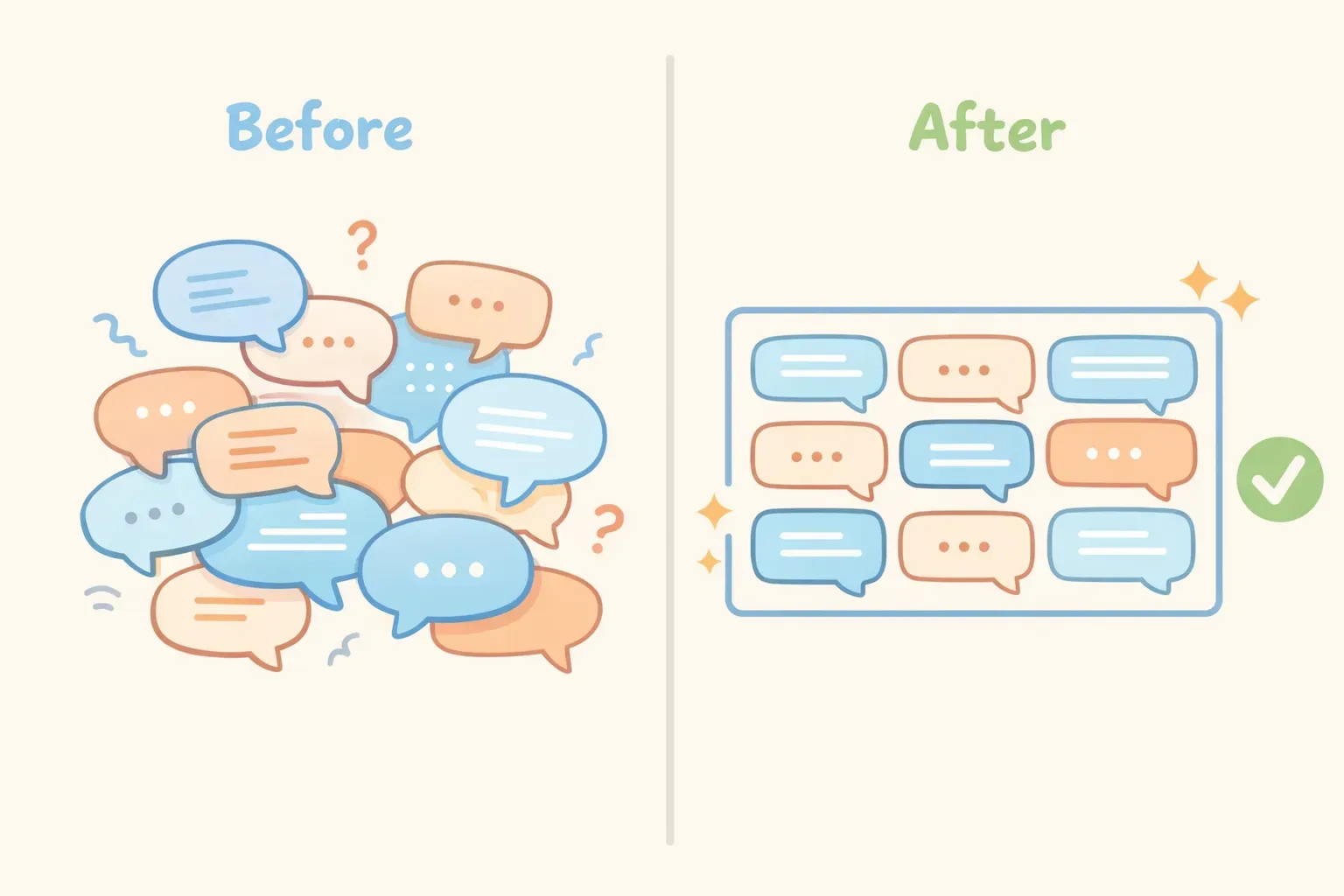
前後對比圖,顯示含糊的提示詞與加上限制的提示詞之間,輸出品質的明顯差異
疊加限制,效果最大化
真正的威力來自把不同類型的限制組合起來。每加一個,就把可能性的空間再壓縮一點,直到 AI 沒有別的選擇,只能產出真正具體又實用的內容。
這裡有一個前後對比的例子,讓你看看差異:
之前(沒有任何限制):
Write a LinkedIn post about AI tools.
這會產出那種千篇一律、看過就忘的內容,跟 LinkedIn 上其他人寫的沒兩樣。
之後(疊加多重限制):
Write a LinkedIn post sharing one specific way I use AI in my daily workflow.

Constraints:
- Hook must be a surprising or counterintuitive statement (not a question)
- Exactly 4 short paragraphs
- Casual but professional tone — no buzzwords like "game-changer" or "leverage"
- End with a genuine question to spark discussion, not a call to action
- Total length: under 150 words

Context: I'm a marketing manager who uses Claude to draft first versions of email campaigns, which I then heavily edit.
加了限制的版本會產出真的像人寫的東西——因為這些限制把所有「一聽就是 AI 寫的」那些通用模式全都過濾掉了。
如果你想要一個專屬空間來存放這些已經內建好限制條件的提示詞,PromptNest 是一款原生 Mac 應用程式($19.99 一次性買斷,Mac App Store 上架,無訂閱、無需註冊帳號、完全在本機運作),能把你的提示詞整理得井然有序、隨時搜尋,離一個快捷鍵的距離。儲存一次,終身重用——變數和限制條件全都一起帶著走。
最棒的 AI 輸出,從來不是給 AI 更多自由換來的。它們來自於給它更少——以及清楚知道,該設下哪些限制。