लंबे डॉक्यूमेंट्स के लिए Claude vs. ChatGPT: कौन context बेहतर संभालता है?
Claude और ChatGPT बड़े documents के साथ कैसा perform करते हैं — असली context window limits, recall tests और prompting strategies की practical तुलना।
आपके downloads folder में एक 50-पेज का contract पड़ा है। या शायद research papers का एक ढेर है जिसे किसी report के लिए synthesize करना है। आप पूरी चीज़ अपने AI chat में paste करते हैं, page 37 के बारे में सवाल पूछते हैं, और जवाब आता है जो सुनने में confident लगता है पर साफ़-साफ़ point miss कर देता है।
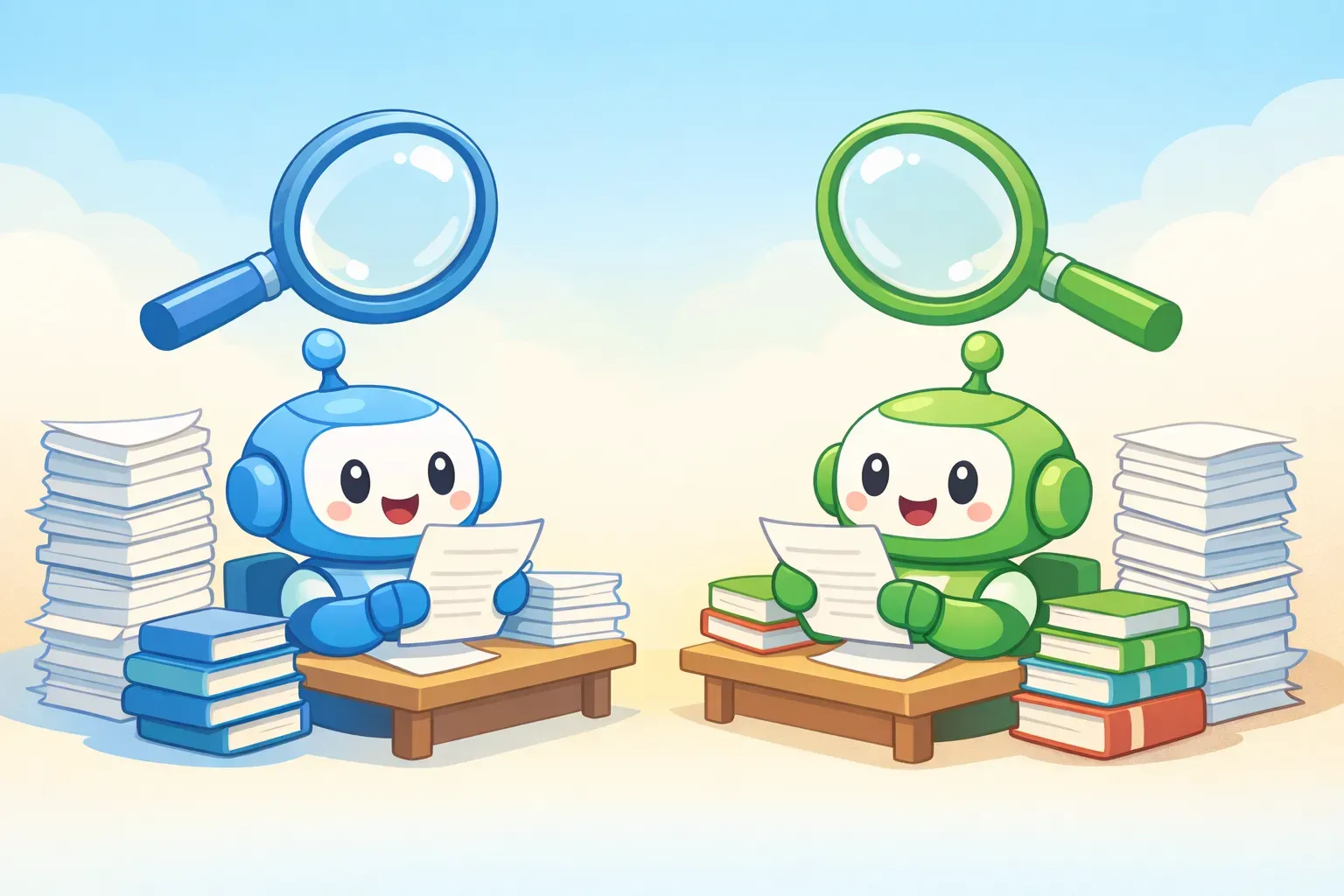
Claude और ChatGPT दोनों ही massive context windows का दावा करते हैं — सैकड़ों हज़ार tokens। लेकिन एक AI कितना text accept कर सकता है और जवाब देते वक़्त असल में कितना याद रख पाता है — इन दोनों में बड़ा फ़र्क है। और यही फ़र्क मायने रखता है जब आप लंबे documents के साथ काम कर रहे हों।
यह guide दोनों tools की real-world performance को बारीकी से देखती है: legal contracts, research papers, codebases और बाक़ी सब कुछ। कोई marketing fluff नहीं — बस वो जो असल में काम करता है।
Context window का size ही पूरी कहानी क्यों नहीं है
Context window उस कुल text की मात्रा है जिसे एक AI model एक ही conversation में process कर सकता है। इसे tokens में मापा जाता है — मोटे तौर पर एक token लगभग 0.75 शब्द होता है। 200,000-token का context window मतलब model theoretically क़रीब 150,000 शब्द, यानी क़रीब 500 पन्नों का text हैंडल कर सकता है।
लेकिन एक बात marketing आपको नहीं बताती: context capacity और context retention अलग-अलग चीज़ें हैं। हो सकता है model आपका पूरा 200-पेज का document accept कर ले, पर इसका मतलब यह नहीं कि वह page 47 की एक specific detail उतनी ही accuracy से याद कर पाएगा जितनी page 1 की।
इसे ऐसे समझिए जैसे एक बैठक में पूरा novel पढ़ना। शुरुआत और अंत साफ़ याद रहते हैं, बीच का हिस्सा धुंधला हो जाता है। AI models में भी कुछ ऐसा ही pattern है — और हर model इसे अलग तरह से handle करता है।
नंबर: 2026 में Claude vs. ChatGPT context windows
पहले raw specs से शुरू करते हैं। ये numbers 2026 की शुरुआत तक के हैं:
Claude (Anthropic):
Claude Sonnet 4.5: standard 200K tokens, enterprise के लिए beta में 1M tokens तक
Claude Opus 4.1: 200K tokens
Claude Haiku 4.5: 200K tokens
Maximum output: हर response पर 64K tokens
Claude.ai Enterprise: 500K token context window
ChatGPT (OpenAI):
Free tier: 8K tokens
ChatGPT Plus: 32K tokens
ChatGPT Pro/Enterprise: 128K tokens
GPT-5 API: 400K tokens तक (272K input + 128K output)
GPT-4.1 API: 1M tokens तक (पर ChatGPT interface में available नहीं)
Practical terms में: अगर आप Claude का paid plan use कर रहे हैं, तो लगभग 500 पन्नों का text paste कर सकते हैं। ChatGPT Plus में आप क़रीब 40 पन्नों तक सीमित हैं। ChatGPT Pro आपको 160 पन्नों के क़रीब ले जाता है।
फ़र्क बहुत बड़ा है। पर raw capacity कहानी का सिर्फ़ एक हिस्सा है।
Needle in a haystack test: कौन बेहतर याद रखता है?
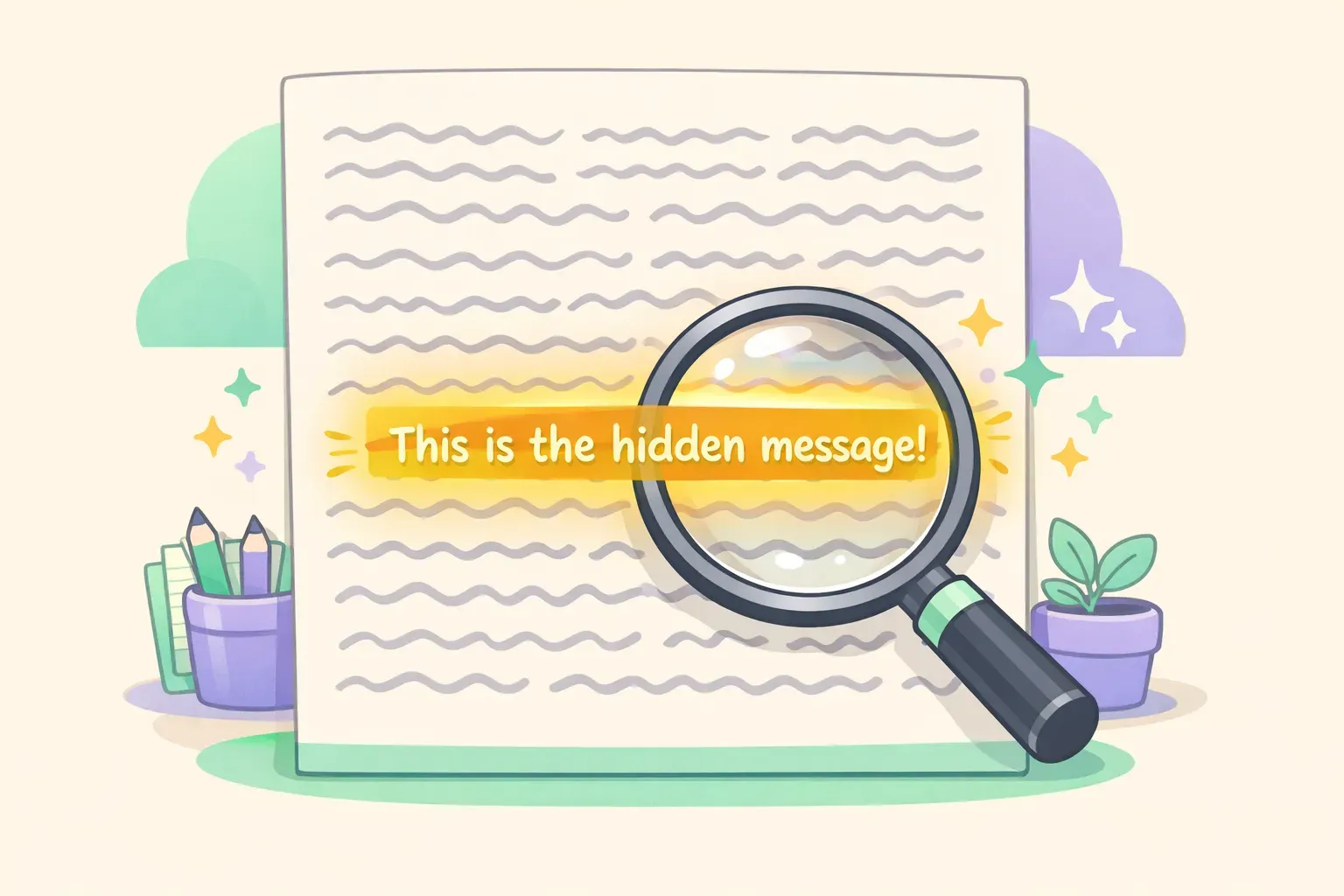
Researchers एक benchmark use करते हैं जिसका नाम है "Needle in a Haystack" test — यह मापता है कि AI models लंबे context में जानकारी कितनी अच्छी तरह retain करते हैं। Setup सीधा है: एक random fact ("needle") को किसी विशाल document ("haystack") में कहीं छिपा दो, फिर model से उसे ढूँढने को कहो।
Needle in haystack test concept का illustration जिसमें एक लंबे document के अंदर एक highlighted वाक्य दिख रहा है
Original test में एक वाक्य use हुआ था — "The best thing to do in San Francisco is eat a sandwich and sit in Dolores Park on a sunny day" — जिसे सैकड़ों पन्नों के unrelated essays के बीच दबा दिया गया। फिर model से पूछा गया: "What's the best thing to do in San Francisco?"
Claude 3 के results impressive थे। Anthropic की testing में, Claude 3 Opus ने 99% से ज़्यादा retrieval accuracy दिखाई — needle चाहे कहीं भी रखा हो, recall लगभग perfect रहा। एक मशहूर case में Claude ने पकड़ ही लिया कि वह test sentence artificially insert किया गया लगता है — मतलब researchers जो test कर रहे थे, उन्हीं को पकड़ लिया।
पुराने models में एक pattern दिखता था: document की एकदम शुरुआत और अंत वाली जानकारी accurately याद रहती थी, पर बीच का content (ख़ास तौर पर 50–70% mark के आसपास) अक्सर miss हो जाता था। Claude 3 और उसके बाद के versions ने यह problem काफ़ी हद तक solve कर दी है।
ChatGPT की performance model version और document length के हिसाब से ज़्यादा vary करती है। GPT-4 ने early testing में middle-document recall की वही दिक्कतें दिखाई थीं, हालाँकि GPT-5 ने काफ़ी सुधार किया है। फिर भी, ChatGPT interface में जो छोटे context windows मिलते हैं (Plus के लिए 32K, Pro के लिए 128K) — उनका मतलब है recall degrade होने के मौक़े ही कम हैं, क्योंकि आप उतना text fit ही नहीं कर सकते।
Real-world test: legal contract review
Abstract benchmarks काम के हैं, पर असली बात यह है कि ये tools real काम पर कैसे perform करते हैं। चलिए legal contract review देखते हैं — long-document AI के लिए एक common use case।
Task: एक 45-पेज के commercial lease agreement की review। early termination की हर mention ढूँढो, conflicting clauses identify करो, और landlord की obligations summarize करो।
Claude के साथ: आप पूरा contract एक ही बार में paste कर सकते हैं। Claude cross-references अच्छी तरह handle करता है — जब वह "as defined in Section 4.2" mention करता है, तो असल में Section 4.2 क्या कहता है उसे reference कर पाता है। उसने Section 7 की maintenance obligations और एक appendix में दबे हुए exception के बीच का conflict पकड़ लिया। Analysis structured और comprehensive थी।
ChatGPT Plus के साथ: 32K tokens में 45-पेज का contract पूरा fit नहीं होगा। आपको इसे chunks में तोड़ना पड़ेगा, जिसका मतलब है AI sections के बीच cross-reference करने की क्षमता खो देता है। ChatGPT Pro पर 128K में यह handle हो जाता है, पर testing में वह specific clause conflicts पकड़ने के बजाय generic summaries देने को ज़्यादा prone था।
Legal काम के लिए winner: Claude। बड़ा context window और document sections में बेहतर recall — ये दोनों मिलकर contract review, legal research और compliance checking के लिए इसे काफ़ी ज़्यादा useful बनाते हैं।
Real-world test: research paper synthesis
Task: remote work की productivity पर असर के बारे में पाँच academic papers (कुल मिलाकर लगभग 80 पेज) से findings synthesize करो। agreement, contradiction और research में gaps के points identify करो।
Claude के साथ: पाँचों papers आराम से context window में आ गए। Claude ने एक structured synthesis बनाया जिसमें track किया कि कौन-सा claim किस paper से आया है, बताया कि Study A कहाँ Study C से contradict करता है, और उन methodological differences को identify किया जो शायद contradictions explain करें। पूरे corpus में coherence बनी रही।
ChatGPT के साथ: ChatGPT Pro के साथ भी पाँचों papers fit करना tight है। Synthesis ज़्यादा general थी और कभी-कभी अलग-अलग papers की findings को आपस में मिला देती थी। हालाँकि, ChatGPT के web search integration ने उसे additional context और हाल की studies pull करने दीं जो original papers में नहीं थीं — ऐसी research के लिए यह genuine advantage है जिसे current रहना ज़रूरी हो।
Winner: pure synthesis के लिए Claude, web sources वाली research के लिए ChatGPT। एक practical workflow: ChatGPT के web search से recent sources इकट्ठा करो, फिर पूरी collection deep analysis के लिए Claude को दे दो।
Real-world test: code repository analysis
Task: एक medium-sized codebase (50 files में फैली लगभग 15,000 lines) को analyze करके authentication flow समझो और potential security issues identify करो।
Claude के साथ: पूरा codebase fit हो जाता है। Claude ने multiple files में authentication flow trace किया, बताया कि session tokens कहाँ generate, store और validate हो रहे थे, और एक potential issue flag किया जहाँ error messages बहुत verbose थे (जो attackers को जानकारी leak कर सकते थे)। उसे यह समझ थी कि एक file में changes दूसरी files को कैसे affect करेंगे।
ChatGPT के साथ: आपको selectively files या summaries share करनी पड़ेंगी। ChatGPT individual files analyze करने में competent है, पर पूरे codebase में dependencies trace करने की क्षमता खो देता है। Specific functions के बारे में targeted सवालों के लिए यह ठीक काम करता है। Holistic architectural analysis के लिए struggle करता है।
Winner: Claude, बिना किसी शक के। बड़े scale पर code review के लिए Claude का context window एक major practical advantage है। यह एक वजह है कि Claude बड़े projects पर काम करने वाले developers में popular हो गया है।
Prompting strategies जो context retention बढ़ाती हैं
आप कोई भी tool use करें, कुछ prompting techniques हैं जो लंबे documents से बेहतर results दिलाने में मदद करती हैं।
1. ज़रूरी जानकारी शुरुआत और अंत में रखो। दोनों models content के start और end के लिए stronger recall दिखाते हैं। अगर आप instructions add कर रहे हैं, तो उन्हें एकदम शुरुआत में रखो और सबसे critical वाली को अंत में, अपने सवाल से ठीक पहले, दोबारा repeat करो।
2. Explicit recall instructions use करो। "Contract termination के बारे में क्या कहता है?" पूछने के बजाय try करो: "पूरे document में search करो और termination, early termination या contract ending की हर एक mention list करो — साथ में section numbers भी जहाँ हर एक आती है।"
3. Structured output माँगो। एक specific format में responses माँगो — section references के साथ bullet points, अलग-अलग clauses की tabular comparison, या एक numbered list। यह model को retrieval में ज़्यादा systematic बनने पर मजबूर करता है।
4. Complex सवालों को steps में तोड़ो। सब कुछ एक साथ पूछने के बजाय, पहले model से सारे relevant sections identify करवाओ, फिर उन specific sections पर analysis के सवाल पूछो।
Document analysis के लिए यह prompt template अच्छा काम करता है:
You are analyzing a {{document_type}}. Your task is to {{specific_task}}.

First, identify all sections relevant to this analysis and list them with their page/section numbers.

Then, for each relevant section, extract the key information and note any conflicts or ambiguities.

Finally, provide a synthesis that addresses: {{specific_questions}}

Document:
{{document_content}}
अगर आप अलग-अलग documents के लिए ऐसे ही prompts बार-बार reuse करते रहते हैं — हर बार different document types, tasks और सवाल भरते हुए — तो PromptNest जैसा prompt manager मदद कर सकता है। Template को एक बार {{document_type}} और {{specific_task}} जैसे variables के साथ save कर लो, फिर हर बार use करते वक़्त सिर्फ़ blanks भरो। दोबारा लिखने से तेज़, और structure भूलने का डर भी नहीं।
कब किसका use करें: एक quick decision guide
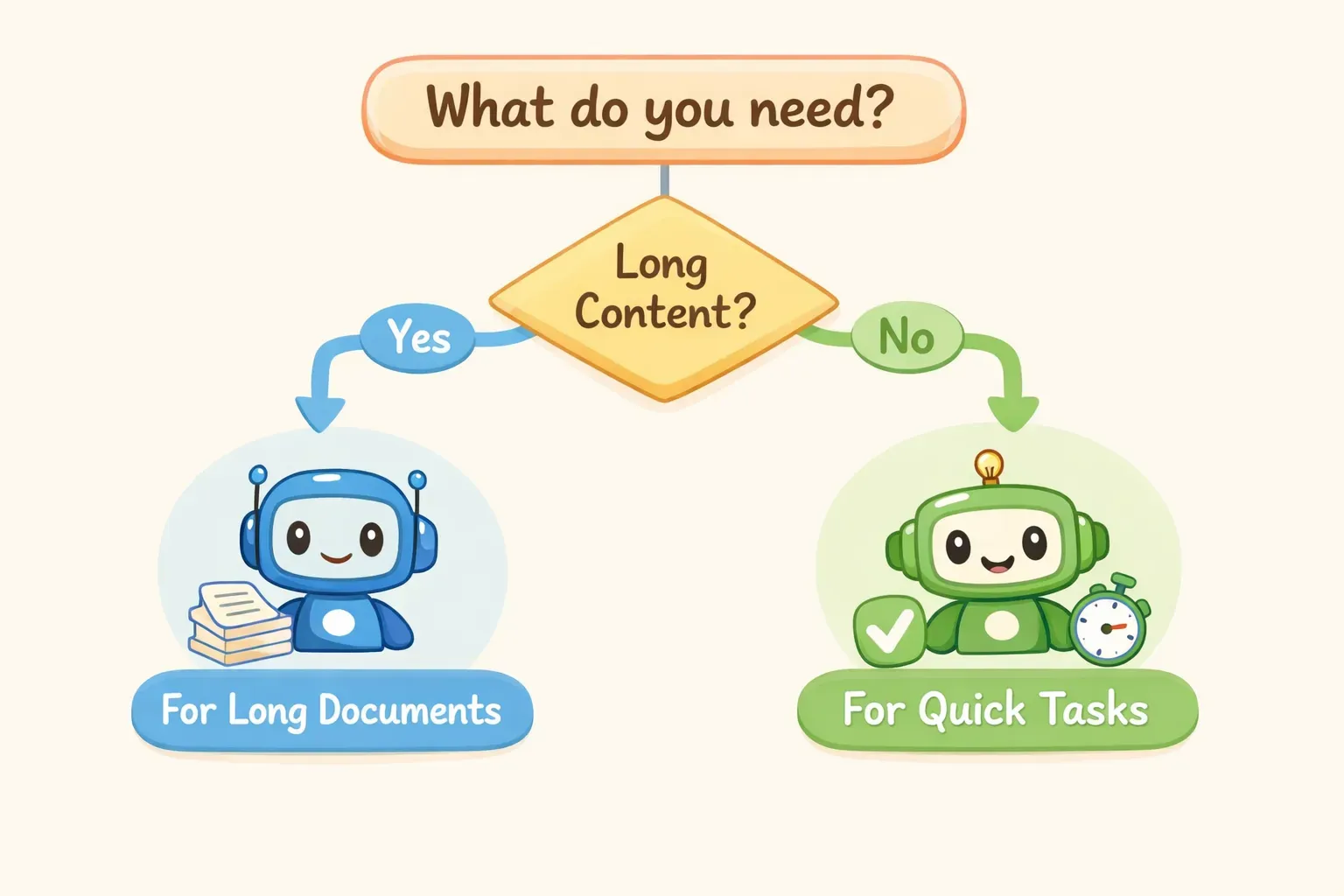
Decision flowchart जो दिखा रहा है कि अलग-अलग document tasks के लिए Claude vs ChatGPT में कब क्या use करना चाहिए
Claude चुनें जब:
आपका document 40 पन्नों से ज़्यादा हो (ChatGPT Plus की limit)
आपको दूर-दूर के sections के बीच cross-reference करना हो
आप legal, compliance या contract काम कर रहे हों
आप किसी codebase या technical documentation को analyze कर रहे हों
speed से ज़्यादा recall की accuracy मायने रखती हो
ChatGPT चुनें जब:
आपका document 40 पन्नों से कम हो और आपके tier की limit में fit हो जाए
document analysis को web search के साथ supplement करना हो
text के साथ-साथ voice input/output या image analysis चाहिए हो
आप पहले से custom GPTs के साथ OpenAI ecosystem में हों
आपको free tier चाहिए (context पर ChatGPT Free, Claude Free से बेहतर है)
दोनों use करें जब:
ChatGPT के web search से sources और recent जानकारी इकट्ठा करो
Claude के बड़े context में deep synthesis और analysis करो
Verdict: लंबे documents में Claude जीतता है, कुछ caveats के साथ
लंबे documents को process और analyze करने के मामले में Claude के साफ़ advantages हैं: standard paid tier में बड़ा context window (200K बनाम ChatGPT Plus का 32K), benchmark testing में बेहतर साबित recall, और contract review व code analysis जैसे practical tasks पर stronger performance।
Subscription tiers की तुलना करें तो फ़र्क और भी साफ़ हो जाता है। Claude Pro के 200K tokens बनाम ChatGPT Plus के 32K tokens — practical capacity में 6x का फ़र्क है। Claude की standard offering match करने के लिए आपको ChatGPT Enterprise चाहिए होगा।
इसके बावजूद, ChatGPT की अपनी ताक़तें हैं। Ecosystem ज़्यादा mature है — custom GPTs, plugins, web browsing, image generation और voice — सब seamlessly साथ काम करते हैं। अगर आपके workflow में छोटे documents के साथ web research या multimodal tasks शामिल हैं, तो ChatGPT शायद अब भी बेहतर choice है।
Practical takeaway: अगर लंबे document पर काम आपके job का regular हिस्सा है — legal review, research synthesis, code analysis, policy drafting — तो Claude try करना worth it है। Context window का advantage real है और output quality में noticeable फ़र्क लाता है।
जब आप अपने document analysis workflow के लिए सबसे अच्छे prompts ढूँढ लेते हैं, तो उन्हें chat history में खोने मत दीजिए। चाहे आप एक tool पर टिके रहें या दोनों use करें, अपने best prompts को organized और reusable रखना हर future project पर समय बचाता है। PromptNest एक native Mac app है, Mac App Store पर $19.99 one-time — कोई subscription नहीं, कोई account नहीं, सब कुछ locally चलता है। यह आपके prompts को एक permanent घर देता है — projects के हिसाब से organized, searchable, और किसी भी application से एक keyboard shortcut पर हाज़िर।