Few-Shot vs. Zero-Shot Prompting: When to Use Each
A practical guide to choosing the right prompting approach for your task, with copy-paste examples and a simple decision framework.
You paste a prompt into ChatGPT. The output is... fine. But you've seen people get dramatically better results by adding "examples" to their prompts. Should you be doing that? How many examples? Does it even matter for your particular task?
These questions come up constantly, and the terminology doesn't help. "Zero-shot," "few-shot," "one-shot" — they sound like photography terms, not practical guidance. This guide cuts through the jargon and gives you a clear framework for deciding which approach to use, plus complete prompts you can copy and test yourself.
What Zero-Shot Prompting Actually Means
Zero-shot prompting means giving the AI a task without showing it any examples of what you want. You describe what you need, and the model figures out how to do it based on its training.
Here's a zero-shot prompt for summarizing a meeting:
Summarize the following meeting notes into 3-5 bullet points covering the key decisions made.

Meeting notes:
{{meeting_notes}}
That's it. No examples of "good" summaries, no sample inputs and outputs. You're trusting the model to understand what a summary looks like and what "key decisions" means. For many tasks, this works surprisingly well.
What Few-Shot Prompting Actually Means
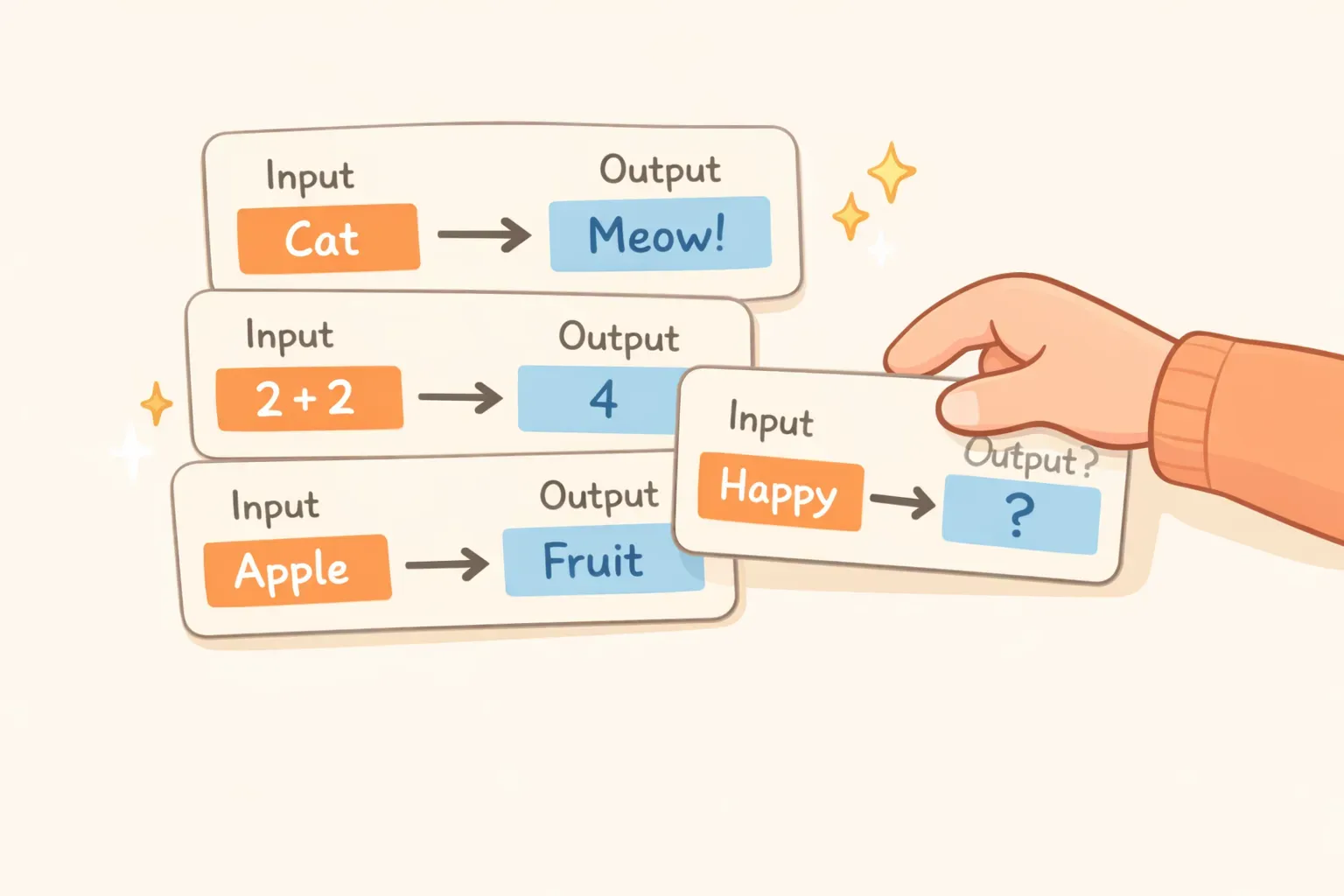
Few-shot prompting means including 2-5 examples in your prompt that demonstrate the pattern you want the AI to follow. You're essentially saying "here's how I want you to handle this" before giving it the actual task.
Here's the same meeting summary task, but with examples:
Summarize meeting notes into 3-5 bullet points covering key decisions.

Example 1:
Input: "Team discussed Q3 targets. Sarah proposed increasing the sales goal by 15%. Mark disagreed, suggested 10% was more realistic given current pipeline. Team voted and agreed on 12%. Also decided to postpone the website redesign until Q4."
Output:
- Agreed on 12% sales goal increase for Q3 (compromise between 15% and 10% proposals)
- Postponed website redesign to Q4

Example 2:
Input: "Budget review meeting. Current spending is 8% over forecast. CFO recommended cutting travel budget by 50% and freezing new hires for 60 days. CEO approved both measures effective immediately."
Output:
- Cut travel budget by 50% (effective immediately)
- 60-day hiring freeze approved
- Response to 8% budget overrun

Now summarize this:
{{meeting_notes}}
Notice the difference. The examples show the model exactly what format you want (bullet points with context in parentheses), what level of detail to include, and how to handle multiple decisions. The model learns your preferences in context — no fine-tuning required.
The Key Differences at a Glance
Here's how the two approaches compare across the factors that matter most:
Speed: Zero-shot is faster. Fewer tokens to process means quicker responses.
Cost: Zero-shot is cheaper. You're paying per token, and examples add up.
Setup effort: Zero-shot requires almost none. Few-shot requires finding or creating good examples.
Accuracy on simple tasks: About the same. Modern models handle straightforward requests well either way.
Accuracy on complex/custom tasks: Few-shot usually wins. When you need specific formatting or domain terminology, examples make a measurable difference.
The tradeoff is clear: zero-shot is simpler and cheaper, but few-shot gives you more control over the output. The question is when that extra control is worth it.
When Zero-Shot Works Best
Zero-shot prompting shines when the task is something the model already "understands" from its training. That includes:
General knowledge questions: Asking for explanations, definitions, or factual information. The model knows what a good explanation looks like.
Creative brainstorming: Generating ideas, writing first drafts, or coming up with options. You want variety here, not adherence to a specific pattern.
Standard summarization: Condensing articles, emails, or documents when you don't need a specific format.
Translation: Converting text between languages the model was trained on.
Simple classification: Sorting items into common categories (positive/negative, urgent/not urgent) when the categories are self-explanatory.
A good rule of thumb: if you can describe what you want in plain language and a human would understand without seeing examples, zero-shot will probably work.
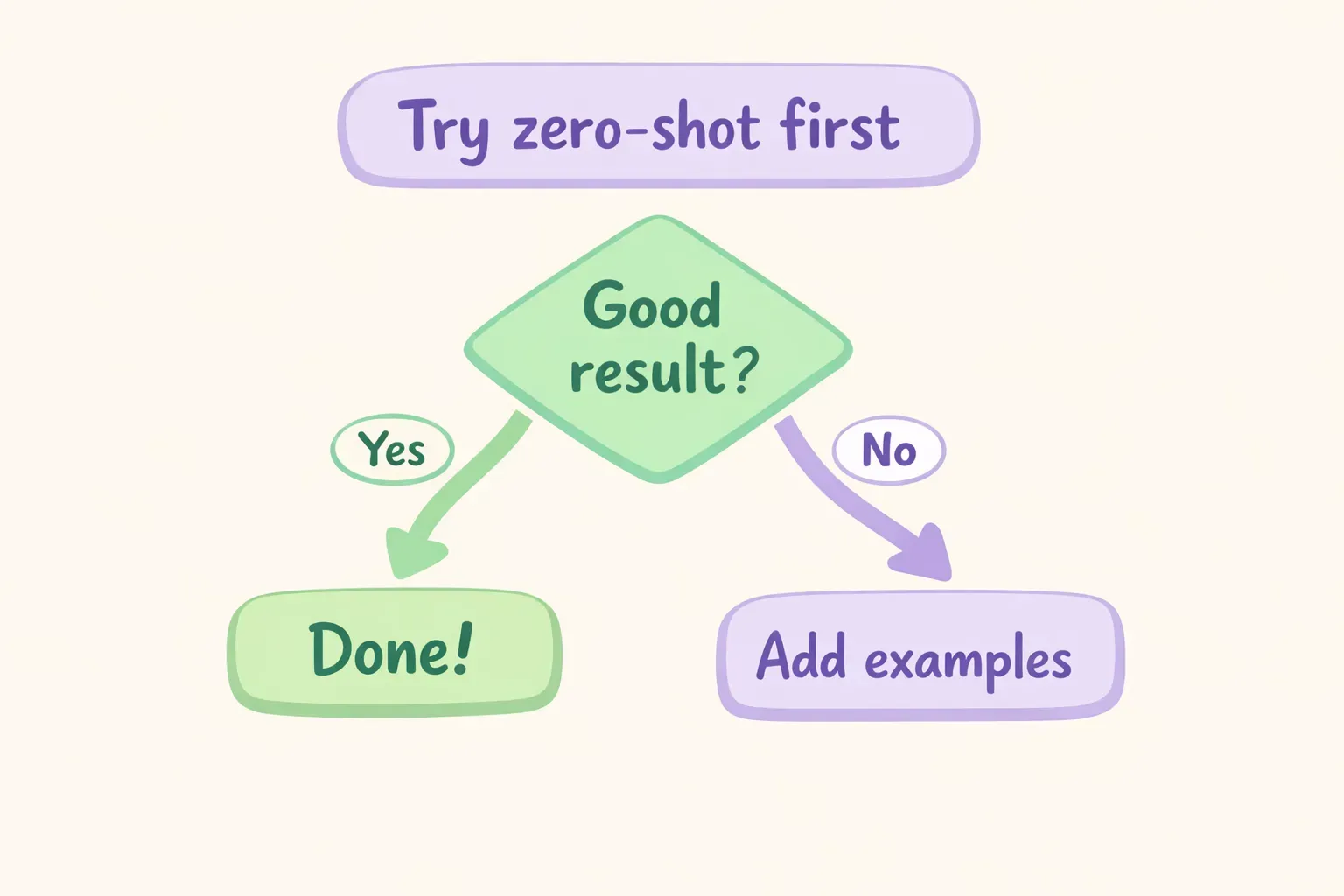
Flowchart showing the decision process: start with zero-shot, evaluate results, add examples only if needed
When Few-Shot Is Worth the Extra Tokens
Few-shot prompting earns its keep when the output needs to follow patterns the model can't infer from instructions alone:
Custom formatting: When you need outputs in a specific structure — JSON with particular fields, tables with exact columns, bullet points with a certain style. Examples show the format better than descriptions explain it.
Your classification categories: If you're sorting customer emails into categories like "billing-question," "feature-request," "bug-report," and "general-inquiry," showing examples of each helps the model understand your definitions.
Brand voice or tone matching: Want the AI to write like your company's existing content? Show it 2-3 examples of that voice. Instructions like "write in a professional but friendly tone" are vague; examples are specific.
Domain-specific terminology: If your industry uses jargon or abbreviations that have different meanings elsewhere, examples teach the model your context.
Edge cases and nuance: Sarcasm detection, irony, or subtle distinctions that trip up zero-shot approaches. Research shows few-shot prompting significantly improves handling of sentiment edge cases like negation and sarcasm.
One study found that for Twitter sentiment classification, few-shot prompting with just 20-50 examples approached the performance of models fine-tuned on 10,000+ examples. That's the power of well-chosen demonstrations.
If you find yourself building a library of few-shot prompts for different tasks, a tool like PromptNest helps you save them with variables like {{meeting_notes}} built in — fill in the blanks when you copy, and the complete prompt is ready to paste.
The "Start Zero, Upgrade If Needed" Workflow
Here's the practical approach that saves both time and tokens:
Step 1: Try zero-shot first. Write a clear prompt describing what you want. Be specific about the task, but don't include examples yet.
Step 2: Evaluate the output. Does it give you what you need? If yes, you're done. If not, identify what's wrong — is it the format? The tone? Missing details? Misunderstanding the task entirely?
Step 3: Add targeted examples. Create 2-3 examples that specifically demonstrate the thing the model got wrong. If the format was off, show the correct format. If the tone was wrong, show the right tone.
This workflow matters because you're not guessing whether you need examples — you're responding to actual gaps. Sometimes adding "Let's think step by step" to a zero-shot prompt fixes reasoning issues without needing examples at all. Research confirms that zero-shot chain-of-thought often outperforms few-shot for reasoning tasks.
How Many Examples Do You Actually Need?
Research consistently points to a sweet spot of 2-5 examples for most tasks. Here's what the data shows:
- The first 2-3 examples provide the biggest accuracy boost
- Returns diminish sharply after 4-5 examples
- More examples can actually hurt performance by introducing conflicting patterns
- Example quality matters more than quantity — three excellent examples beat ten mediocre ones
There's also an important finding about example order: studies show that the sequence of your examples affects results, with optimal ordering sometimes making the difference between good and poor performance. If your few-shot prompt isn't working well, try reordering your examples before adding more.
Illustration showing example cards being added to a prompt, with diminishing returns after the first few
For most use cases, start with 2 examples. If accuracy isn't where you need it, add a third that covers a different variation. Rarely will you need more than 4.
Chain-of-Thought: The Middle Ground for Reasoning
There's a third option that works particularly well for math, logic, and multi-step problems: chain-of-thought prompting. Instead of showing input-output examples, you ask the model to "think step by step."
Zero-shot chain-of-thought looks like this:
A store has 45 apples. They sell 12 in the morning and receive a shipment of 30 more. Then they sell 18 in the afternoon. How many apples do they have at closing?

Let's work through this step by step.
That simple phrase — "Let's work through this step by step" — triggers the model to show its reasoning rather than jumping to an answer. For complex reasoning, this often beats both zero-shot and few-shot approaches.
Recent research from arXiv found that for strong models like GPT-4 and Claude, zero-shot chain-of-thought frequently outperforms few-shot prompting on reasoning tasks. The examples can actually constrain the model's thinking rather than helping it.
Use chain-of-thought when:
The task requires multiple logical steps
You need the model to explain its reasoning (useful for catching errors)
Math, coding logic, or analytical problems are involved
You want to verify the model's approach, not just its answer
Complete Prompt Examples You Can Copy
Let's see the three approaches side by side for real tasks. All prompts are tested with GPT-4 and Claude and ready to use.
Task 1: Email Tone Classification
Zero-shot version:
Classify the tone of this customer email as: frustrated, satisfied, neutral, or urgent.

Email:
{{email_text}}

Tone:
Few-shot version (better for edge cases):
Classify customer email tone as: frustrated, satisfied, neutral, or urgent.

Email: "I've been waiting 3 weeks for my order. This is ridiculous. I want a refund NOW."
Tone: frustrated

Email: "Just wanted to say thanks — the product arrived early and works great!"
Tone: satisfied

Email: "Hi, can you confirm my order shipped? Order #12345."
Tone: neutral

Email: "Our system is down and we need the replacement part TODAY or we lose the contract."
Tone: urgent

Email: {{email_text}}
Tone:
The few-shot version helps the model understand your specific definitions. "Urgent" vs "frustrated" can be ambiguous — examples make your boundaries clear.
Task 2: Product Description Rewrite
Zero-shot version:
Rewrite this product description to be more engaging and benefit-focused. Keep it under 100 words.

Original: {{product_description}}

Rewritten version:
Few-shot version (better for brand voice consistency):
Rewrite product descriptions to be engaging and benefit-focused. Match this style:

Original: "Stainless steel water bottle. 24oz capacity. Keeps drinks cold for 24 hours."
Rewritten: "Stay hydrated all day with our sleek 24oz steel bottle. Your morning coffee stays hot through your commute. Your afternoon water stays ice-cold at the gym. One bottle, endless possibilities."

Original: "Wireless earbuds. 8-hour battery. Noise cancelling."
Rewritten: "Eight hours of your favorite podcasts, uninterrupted. Our wireless earbuds block out the noise so you can focus on what matters — whether that's deep work, your workout playlist, or finally finishing that audiobook."

Original: {{product_description}}
Rewritten:
The few-shot version teaches a specific copywriting style — benefit-led, conversational, specific use cases. Zero-shot would give you a rewrite, but not necessarily your voice.
Task 3: Bug Report Structuring
Zero-shot version:
Convert this bug report into a structured format with: Summary, Steps to Reproduce, Expected Behavior, and Actual Behavior.

Bug report: {{bug_report}}
Few-shot version (better for consistent formatting):
Convert bug reports into structured format.

Input: "The app crashes when I try to upload a PDF. I was on the dashboard, clicked upload, selected a 5MB PDF, and it just closed. Should show the file in my uploads but instead the whole app dies."

Output:
**Summary:** App crashes when uploading PDF files
**Steps to Reproduce:**
1. Navigate to dashboard
2. Click upload button
3. Select a PDF file (tested with 5MB file)
**Expected:** File appears in uploads section
**Actual:** Application crashes/closes unexpectedly

---

Input: {{bug_report}}

Output:
For technical documentation, consistency matters. The few-shot version ensures every bug report follows the same structure with the same level of detail.
Quick Decision Framework
When you're staring at a new task, run through these questions:
1. Is the task straightforward and well-defined? → Start with zero-shot
2. Do you need a specific format the model might not guess? → Use few-shot
3. Does the task involve multi-step reasoning? → Try zero-shot chain-of-thought first
4. Do you need consistent brand voice or domain terminology? → Use few-shot with examples in that voice
5. Did zero-shot give you 80% of what you need? → Keep it. Perfection isn't worth 3x the tokens.
The goal isn't to use the fanciest technique — it's to get good results efficiently. Zero-shot is the default. Add complexity only when simpler approaches fall short.
Putting It Into Practice
The best way to internalize this is to experiment. Take a task you do regularly — summarizing reports, drafting emails, categorizing feedback — and try both approaches. Notice where zero-shot falls short. Notice where few-shot makes a real difference.
Once you find prompts that work, save them somewhere you can actually find them again. If you're building a collection of prompts with examples and variables, PromptNest is a native Mac app ($19.99 one-time on the Mac App Store, no subscription, no account, runs locally) that keeps them organized, searchable, and accessible with a keyboard shortcut from any app. No more hunting through scattered notes for that perfect few-shot prompt you wrote three weeks ago.
Start simple. Add complexity when needed. Save what works. That's the whole strategy.